RESEARCH-BASED BUYING GUIDE · OCTOBER 24, 2026
iPad A16: Which Setup Fits?
Storage, connectivity, accessories, and everyday workflow: decide whether the iPad A16 fits your needs.
The quick decision
Shortlist it for: reading, streaming, notes and everyday apps when you want a tablet alongside your existing computer.
Compare a laptop first if: one essential task needs desktop software, extensive typing or a workflow you cannot reproduce on iPad.
Check the iPad on Amazon (paid link) ↗Opens the supplied Amazon shopping page. Select the iPad and confirm A16, 128GB, Wi-Fi and silver before buying.
128GB, 256GB or 512GB?
These are planning examples, not measured storage requirements. App sizes, system files and your own downloads determine the space you need.
| Capacity | When to consider it | What to check |
|---|---|---|
| 128GB | Mostly streaming, documents and a modest app library. | Count existing storage use and leave room for updates. Cloud storage still needs a connection to retrieve files. |
| 256GB | More games, downloaded shows or local creative projects. | Compare the upgrade cost against how often you would need to clear space. |
| 512GB | A substantial offline library you expect to keep on the device. | Check your actual files first; more storage does not change the A16 chip. |
Wi-Fi versus Wi-Fi + Cellular
| Option | Good starting point when… | Trade-off |
|---|---|---|
| Wi-Fi | You usually have home, school or workplace Wi-Fi. | Away from Wi-Fi, internet access needs another connection, such as a compatible phone hotspot. |
| Wi-Fi + Cellular | You regularly need a connection away from Wi-Fi. | Compare the device premium, coverage and separate data-plan cost. |
Which Apple Pencil fits?
- Apple Pencil (USB-C): supported by this iPad.
- Apple Pencil (1st generation): supported, with the USB-C to Apple Pencil Adapter for pairing and charging.
- Other Pencil models: do not assume compatibility; use Apple’s exact model list before ordering.
Check the manufacturer’s compatibility details before adding a stylus to your budget.
The iPad A16 is worth considering if you want a tablet for reading, video, notes, and everyday apps. The important buying question is whether your actual tasks fit a tablet workflow—and whether the full setup fits your budget.
What this model offers
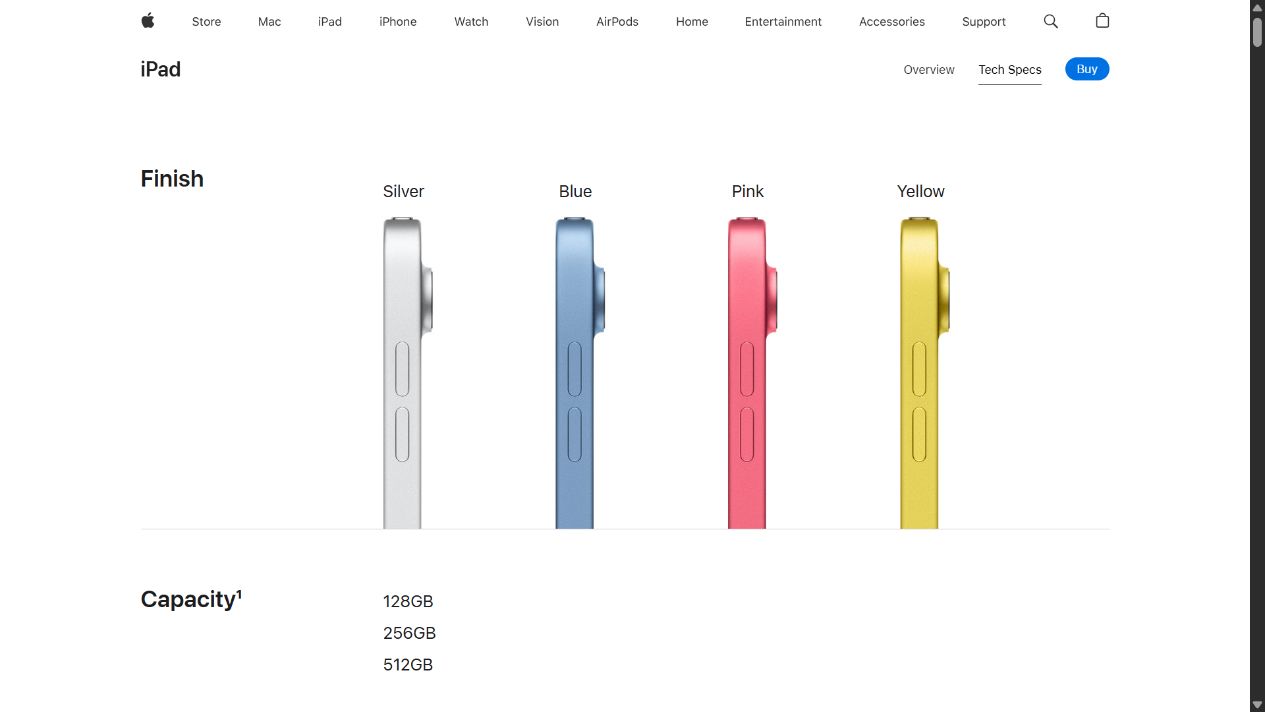
Apple lists an A16 chip, an 11-inch Liquid Retina display, Touch ID, USB-C, and storage choices of 128GB, 256GB, or 512GB. The affiliate listing supplied for this guide is the silver 128GB Wi-Fi model. Confirm the selected configuration before checkout.
Is 128GB enough?
Start with the storage you use now. Count downloaded videos, games, photo libraries, and work files—not just the apps you plan to install on day one. Leave room for future downloads and updates. If you routinely keep large projects offline, compare a larger capacity before choosing solely by the lowest upfront price.
Wi-Fi or cellular?
The linked model uses Wi-Fi. Consider where you will actually work: home, school, travel, or places without reliable wireless access. Compare the inconvenience of finding a connection with the total cost of a cellular model and service. A different connectivity option is a separate buying decision, not a setting that turns a Wi-Fi-only model into a cellular one.
Check accessories before ordering
Apple specifies support for Apple Pencil (USB-C) and Apple Pencil (1st generation); the latter needs the USB-C to Apple Pencil Adapter for pairing and charging. Do not assume every Pencil works with every iPad.
Make a complete shopping list: tablet, protective case, keyboard if needed, and any stylus or adapters. Verify exact model compatibility and what the seller includes. Compare the total with a laptop or another tablet that already covers your needs.
Who should pause before buying?
- Desktop-software users: check each essential app and feature on iPad before treating it as a laptop replacement.
- Heavy offline users: estimate storage needs using real files.
- Frequent typists: include the keyboard cost and consider whether you prefer working on a laptop.
Your five-minute buying check
- List your three most important tasks.
- Confirm the apps and accessories needed for each.
- Choose storage and connectivity deliberately.
- Compare the complete setup cost.
- Check seller, condition, return terms, and the selected configuration.
Our take: shortlist it when the tablet workflow matches your tasks. If one essential task cannot be done comfortably, resolve that limitation before purchasing.
Compare the complete setup cost
Enter current prices in US dollars. Add only the accessories you need. Blank fields count as zero; this calculator does not fetch prices or save your entries.
Estimate only. Check the retailer’s final checkout total. Ongoing services and subscriptions are not included.
Common buying questions
Can this replace my laptop?
Make a list of your essential apps, file formats and connected devices. Confirm the exact features you use are available on iPad. If even one essential workflow fails, keep the computer in your budget.
Does the listed tablet include a keyboard or Pencil?
Do not assume it does. Check the seller’s included-items list and whether the offer is a bundle. Budget separately for accessories unless the selected offer explicitly includes them.
Should I buy more storage or use cloud storage?
More internal storage keeps more files available offline. Cloud services can help with syncing and storage, but check their subscription costs, internet needs and download behavior. Neither option replaces a backup plan.
Sources and methodology
Apple iPad A16 technical specifications — consulted October 24, 2026.
Prepared with AI assistance from published specifications and listing information. This is buying guidance, not a hands-on review. Fit, performance, and battery life have not been independently tested here. Prices are left to the retailer because they can change.